

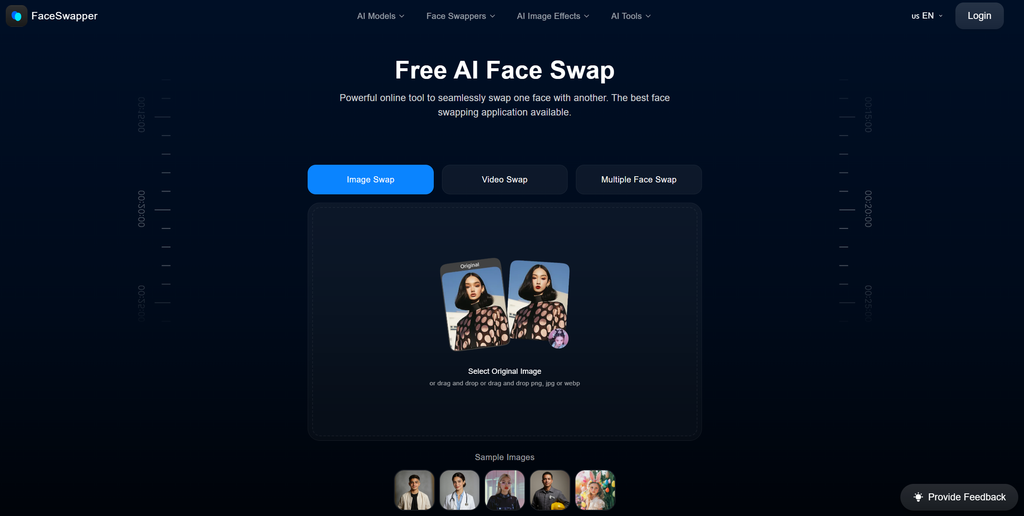
FaceSwapper looks simple at first: upload a photo, add the face you want to use, press Swap, and wait for the result. The current site goes much further than that basic workflow. It now lists single-photo swaps, video swaps, multiple-face swaps, GIF swaps, batch processing, clothes changes, headshots, face generation and a growing set of photo effects.
This FaceSwapper review focuses on output quality, group and batch tools, video support, free access, privacy and current pricing information. It is based on the current public website and policies, with recent independent coverage where useful.
FaceSwapper Scorecard: Strong on Access, Light on Fine Control
FaceSwapper’s biggest strength is friction. You can open the web tool and start a standard image swap without building a profile or entering payment details. Its biggest weakness is limited manual control. You do not get the masks, identity weighting or frame repair tools advanced users may expect.
Overall rating: 8.3/10.
Short explanation
- Strong on clear portraits, but little manual correction
- Group swaps plus batches of up to 50 images
- Useful options, though documentation is inconsistent
- Very little setup and clear upload flow
- Designed for quick browser-based processing
- Main pages advertise unlimited use without credits
- Short retention claims are good, but policy wording conflicts
- Excellent if the current free model remains as advertised
Top FaceSwapper AI alternatives

She doesn't need a manual. Start talking and she'll figure out exactly what you like — your mood, your energy, your type. She adapts to you, not the other way around.


It is best for casual creators, memes and mockups. Editors who need exact control over difficult angles or frame-by-frame video problems may prefer a more technical tool.
What Is FaceSwapper and How Does It Work?
FaceSwapper is a browser-based AI editing service centered on replacing faces in photos and videos. Its current navigation includes Face Swap, Video Face Swap, Multi Face Swap, GIF Face Swap, and Batch Face Swap. The same site also offers tools for clothes replacement, gender swaps, AI faces, expression changes, headshots, and photo effects.
The main FaceSwapper tools can be summarized like this:
| FaceSwapper tool | Main purpose |
| Face Swap | Replace one face in a photo |
| Multi Face Swap | Replace several people in one group photo |
| Batch Face Swap | Apply one target face to multiple images |
| Video Face Swap | Replace a face throughout a video |
| GIF Face Swap | Apply a face replacement to an animated GIF |
| AI photo tools | Change clothes, expressions, gender, headshots, and other visual details |
The homepage accepts PNG, JPG, and WebP images. FaceSwapper also maintains dedicated video tools; one current unlimited-video page lists MP4, AVI, MOV, and WMV. Batch Face Swap works across different devices and operating systems according to the official page.
The browser version is the safest reference point for this review. An iPhone app with the same name is published by Prominent Fortune PTE. LTD., while faceswapper.ai’s Privacy Policy names Vertexshare Limited. Because the listed developers differ, the App Store product should not automatically be treated as the official mobile version of faceswapper.ai.
https://faceswapper.ai/images/face-swapping.webp
How to Get Started With FaceSwapper
One of FaceSwapper’s advantages is that there is almost no onboarding. A standard image swap can be started directly from the homepage, without completing a long account setup.
The basic process looks like this:
- Open the FaceSwapper website.
- Upload the original image that contains the face you want to replace.
- Upload the target face you want FaceSwapper to insert.
- Start the AI face swap.
- Wait for the result to finish processing.
- Preview and download the generated image.
The homepage also provides sample images, so you can test the workflow before using a personal photo.
No card is requested before a normal image swap, and the current homepage promotes unlimited swaps without credits. A Sign In button is available, but an account is not presented as mandatory for the basic tool.
There are no lengthy onboarding questions or tutorials. This keeps the service fast, although first-time users receive less guidance about image quality, consent, and suitable source photos.
For better results, use:
- Clear and well-lit portraits.
- Faces that are not covered by hair or objects.
- Medium or high-resolution photos.
- Source and target faces with reasonably similar angles.
- Images without heavy motion blur.
How Does FaceSwapper Handle Single, Multi-Face, and Batch Swaps?
FaceSwapper offers several modes, and each one solves a slightly different editing problem.
| Mode | Best used for | Main limitation |
| Single Face Swap | Replacing one person in one photo | Limited manual correction |
| Multi Face Swap | Group pictures with several people | Complex group scenes can be harder |
| Batch Face Swap | Applying one face across many photos | Quality depends on consistency between source images |
The standard Face Swap handles one replacement in a photo. There are no visible sliders for identity strength, face-shape retention, or blending on the public interface. That makes the process accessible, though users have fewer options if the first result needs correction.
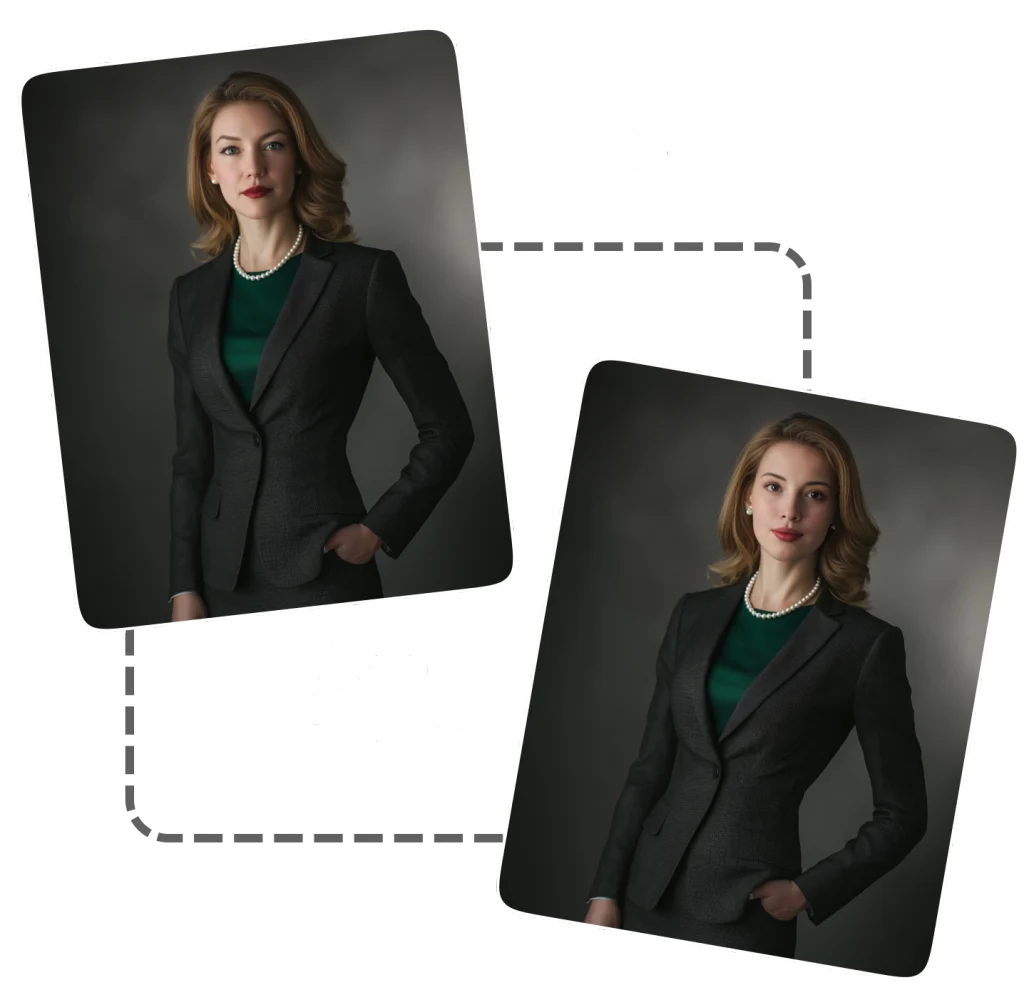
Multiple Face Swap is designed for group photos. You upload the group shot and provide individual face photos for the people you want to replace. FaceSwapper says its system detects faces in the photo and lets you choose which people to change.
Batch Face Swap solves a different problem. Instead of replacing several people inside one image, it applies the same target face across multiple source images. The official batch page currently allows up to 50 original images in one upload.
This can be useful for:
- Social media image sets.
- Marketing mockups.
- Profile-picture variations.
- Meme collections.
- Character or costume concepts.
- Large groups of test images.
Batch processing works best when the source photos have reasonably similar lighting, angles, and face visibility.
How Good Is FaceSwapper Face Swap Quality?
FaceSwapper performs best with clear portraits and relatively simple scenes. Frontal faces and mild three-quarter angles are generally easier for automated face replacement than profiles, blurred frames, or partially hidden faces.
The official examples show clean blending, but they represent ideal conditions. Independent coverage has also noted that lower-quality source images can produce softer or more pixelated results.
The most reliable input usually has:
- Good lighting.
- A clearly visible face.
- Enough image resolution.
- Similar head orientation between source and target.
- Minimal obstruction from glasses, hands, hair, or other objects.
More difficult cases include extreme side profiles, heavy shadows, fast motion, partially covered faces, and major differences in head shape.
FaceSwapper does not expose advanced masking, identity-strength sliders, or local retouching tools. If one area of a generated face looks wrong, there is little opportunity to fix only that part inside the service. In practice, FaceSwapper works better as a quick automatic generator than as a precision compositing editor.
How Good Are FaceSwapper Video and GIF Face Swaps?
Video face swapping is now a prominent part of the site. The dedicated tool asks for a face photo and a target video. One FaceSwapper page mentions MP4 specifically, while the newer unlimited-video page lists MP4, AVI, MOV and WMV. The latter also advertises HD results, no sign-up and unlimited generation.
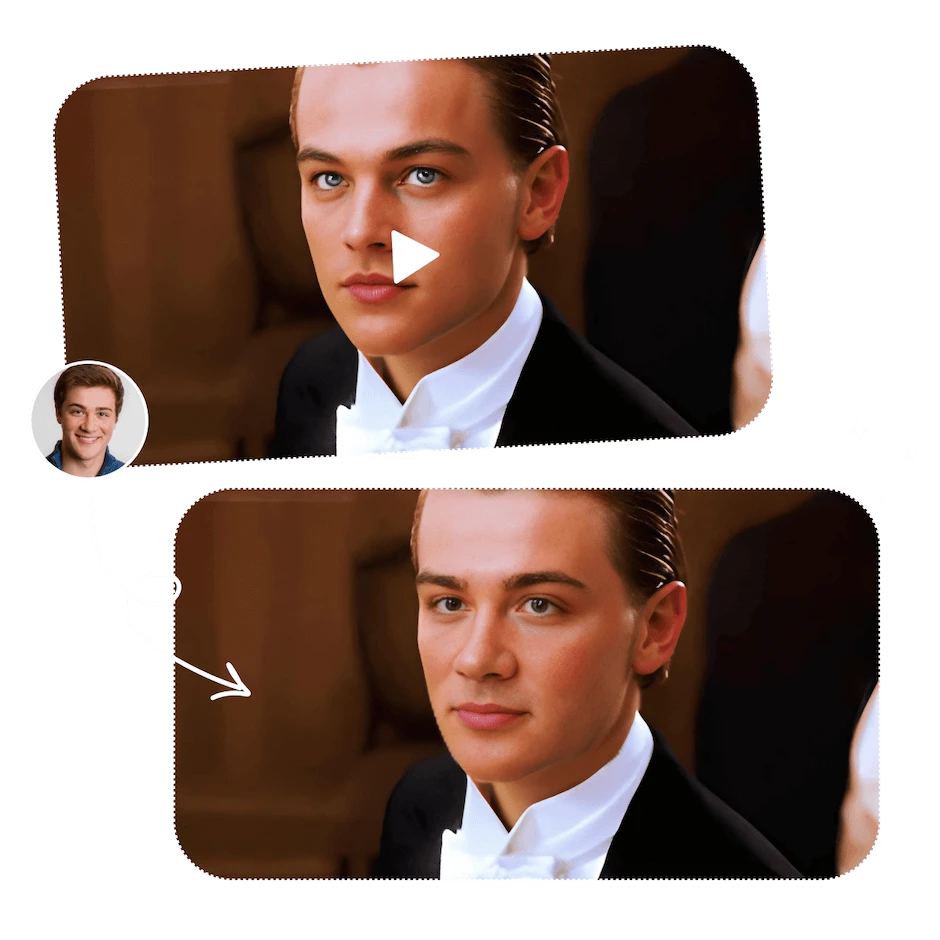
Video is harder than a still image because the face must track turns, expressions, blur and changing light. FaceSwapper does not document frame-level repair tools or a timeline editor, so you mostly rely on the automatic result.
GIF Face Swap follows the same simple idea: upload a face, choose a GIF and process it. Here the documentation becomes messy. The GIF page still says users receive daily free credits, while the main homepage and current video pages promote credit-free unlimited use. That makes it difficult to state one platform-wide limit with confidence.
What Other AI Editing Tools Does FaceSwapper Offer?
Face swapping remains the main feature, but the website has expanded into a broader AI photo-editing toolkit.
Current tools include:
- Clothes Swapper — replaces clothing in a photo.
- Gender Swap — changes masculine or feminine visual traits.
- AI Girl Generator — creates female AI imagery.
- AI Face Generator — produces synthetic faces.
- Face Shape Detector — analyzes face shape.
- Face Expression Changer — modifies facial expressions.
- AI Headshot Generator — creates portrait-style headshots.
- Photo effects — provides smaller one-purpose visual transformations.
Most of these tools follow the same simple workflow: upload an image, choose or provide the requested change, generate the result, and download it.
The simplicity is useful for quick edits, but users who want precise local corrections may still need a separate image editor afterward.
FaceSwapper Pricing in 2026: Free on Paper, but the Docs Are Messy
At the time of this review, I could not verify a current public subscription table with named plans and prices on faceswapper.ai. The homepage advertises unlimited face swaps without credits, and the dedicated unlimited-video page makes the same claim for video. The batch page also presents the tool as free.
| Public option | Current verified price | What is stated publicly |
| Standard image face swap | $0 | Unlimited, no credits on the current homepage |
| Video face swap | $0 | Unlimited on the dedicated free-video page |
| Multiple face swap | $0 publicly shown | No public plan price found |
| Batch face swap | $0 publicly shown | Up to 50 source images per batch |
| GIF face swap | Unclear | Page still mentions daily free credits |
FaceSwapper’s Terms still include a seven-day refund policy for purchases, so paid transactions may exist elsewhere in the service. Older credit-plan prices conflict with the current site and should not be presented as current 2026 pricing.
For now, the practical answer is: the main face-swap tools are marketed as free, but the site needs cleaner documentation around GIF credits and any optional paid products.
Is FaceSwapper Safe? Privacy, File Storage, and User Data
FaceSwapper publishes both Privacy Policy and Terms pages, which explain how uploaded content and technical information may be handled.
The Privacy Policy names Vertexshare Limited as the service provider. It says third-party services may collect technical information such as:
- IP address.
- Device information.
- Operating system.
- Usage time.
- Activity statistics.
- Analytics and advertising data.
The policy also refers to third-party services such as Google Analytics and Google Ads.
File retention deserves particular attention. The homepage says uploaded files are deleted immediately after a result is generated and downloaded. The Privacy Policy states that uploaded and generated photos and videos are purged every six hours. Since these descriptions differ, users who are privacy-conscious should assume files may remain on the system for up to the longer documented period.
FaceSwapper also states that users retain copyright ownership of uploaded material and generated results. The service receives the limited permissions necessary to process and host those files.
Its Terms prohibit content involving:
- NSFW material.
- Violence or abusive material.
- Privacy violations.
- Impersonation.
- Hate speech.
- Intellectual-property infringement.
The safest approach is to avoid uploading highly sensitive photos and to use another person’s face only when you have permission or another legitimate basis to do so.
What Other Users and Reviewers Say
“I’ve used FaceSwapper for around four months, mostly for goofy edits with friends. Dude, it’s way easier than opening Photoshop and doing everything manually. Front-facing pics usually slap. Side angles can get a little wonky, but decent source photos make a huge difference.”
“I tested FaceSwapper periodically for approximately three months. The interface is simple, and processing requires minimal user input. Results were strongest when facial angles and lighting were similar. More complex source images produced less consistent outcomes.”
“I’ve used FaceSwapper for a few months now 😄📷 It’s super easy to learn, and I can usually get a swap done really fast ⚡ Clear portraits work best for me 👍 When the lighting matches well, some results look surprisingly natural 😍✨”
FaceSwapper Pros and Cons
FaceSwapper keeps most of its workflow simple, but its strengths and limitations are easier to compare side by side.
- No sign-up is required for the main photo workflow.
- Single, group, GIF, video and batch swaps are available.
- Batch mode accepts up to 50 source images.
- The interface is simple enough for first-time users.
- Current pages advertise free, unlimited photo and video swaps.
- Upload ownership remains with the user under the published policy.
- Fine editing and correction controls are very limited.
- File-deletion timing differs between the homepage and Privacy Policy.
- Difficult angles, blur and low-resolution inputs can reduce quality.
Is FaceSwapper Legit or a Scam?
FaceSwapper appears to be a legitimate operating web service, not a fake landing page. The site has working public tools, published Terms, a Privacy Policy, cookie information and a support address. Its Privacy Policy identifies Vertexshare Limited, and Vertexshare separately describes itself as a Hong Kong software company that develops online tools and desktop/mobile products.
The bigger issue is documentation quality rather than basic legitimacy. Free-use claims, GIF credits, file deletion timing and the refund clause are not presented with one consistent story. That does not make the service a scam, but it means users should read the current page for the exact tool they plan to use.
Verdict: legitimate, easy to try and unusually accessible, but with policy and pricing wording that could be clearer.
FAQ About FaceSwapper
Do I need an account to use FaceSwapper?
Not for the standard web face swap. The current homepage lets users start from the upload tool and advertises no-sign-up access.
Can FaceSwapper swap several people in one photo?
Yes. Multiple Face Swap is designed for group images and lets you provide separate replacement faces.
Can I use one face across many photos?
Yes. Batch Face Swap supports up to 50 original images at once and applies one target face across the batch.
Does FaceSwapper support video?
Yes. The current site has dedicated video face-swap tools. The newer free-video page lists MP4, AVI, MOV and WMV uploads.
Can FaceSwapper swap faces in GIFs?
Yes. There is a separate GIF Face Swap tool. Its page still mentions daily free credits, so I would not describe GIF usage as confirmed unlimited.
Is FaceSwapper completely free?
The main 2026 pages advertise free unlimited image and video face swapping. However, the Terms still contain a refund clause for purchases and no complete public pricing table is visible, so optional paid parts may still exist.
How long does FaceSwapper keep uploaded files?
The Privacy Policy says uploads and generated files are purged every six hours. The homepage claims even faster deletion, but the policy is the more conservative statement to rely on.
Can I create NSFW face swaps?
No. FaceSwapper’s published policy explicitly prohibits NSFW content, and its Terms also prohibit harmful, abusive and privacy-violating uses.
Can I use someone else’s face?
Technically the tool can process uploaded faces, but the Terms prohibit privacy violations and impersonation. Use images you own or have permission to use.
Is there an official FaceSwapper mobile app?
The website works in a browser and the batch page says it is compatible with mobile devices. An iPhone app with the same name exists, but its listed developer does not match the company named in faceswapper.ai’s Privacy Policy, so I would not assume it is the official app for this website without clearer confirmation.