

Frosting AI is easy to mistake for a simple image generator, but it is much broader now. The platform combines image creation, character-focused prompting, DreamChat roleplay, community profiles, and video tools. I checked the current public site, subscription page, policies, and the latest official Frosting Scoop updates in August 2026. The real question is how well those extras fit around its strong image-first base.
Frosting AI Quick Verdict
Overall rating: 8.3/10.
Frosting’s strongest side is still visual creation. It gives users several model styles, character-focused workflows, community sharing, inpainting improvements, video models, and a browser experience that does not require a local Stable Diffusion setup. DreamChat adds a companion and roleplay layer, but it feels more like one part of a creative platform than the whole product.
Short explanation
- Useful for character roleplay, but less developed than the art tools
- Dream threads help organization; long-term chat memory is not well documented
- Strong prompt control and good support for recurring OCs
- The clear highlight of the platform
- No clear standalone voice chat, but some video models support sound
- Free access remains a major plus; premium prices rise quickly
- Browser-based, with newer tools aimed at faster prompting
- Private-by-default generations and chats are a meaningful positive
Top Frosting AI alternatives

She doesn't need a manual. Start talking and she'll figure out exactly what you like — your mood, your energy, your type. She adapts to you, not the other way around.


What Is Frosting AI and What Can You Do With It?
Frosting AI describes itself as a place to create and chat with AI. In practice, it works primarily as an AI art platform with DreamChat, character roleplay, video tools, creator profiles, and community features built around the image generator.
The main things you can currently use Frosting AI for include:
- Creating AI images from text prompts.
- Developing recurring original characters.
- Using realistic, anime, furry, and other visual styles.
- Chatting with characters through DreamChat.
- Creating character-based roleplay scenarios.
- Experimenting with AI video models.
- Sharing public creations with the Frosting community.
- Following creators and community events.
The verified service runs through the Frosting AI website. An official standalone iOS or Android app is not clearly listed in the platform’s current public information, so the web version remains the safest option to recommend.
How to Get Started With Frosting AI
Starting with Frosting AI is relatively quick because the service works directly in a browser. You do not need to install Stable Diffusion locally, download large models, or configure a GPU.
A typical first-time setup looks like this:
- Open Frosting AI. Visit the official website in a desktop or mobile browser.
- Confirm that you are 18+. Frosting is intended for adult users, and its Terms set the minimum age at 18.
- Create or access your account. Follow the current account prompts shown on the site.
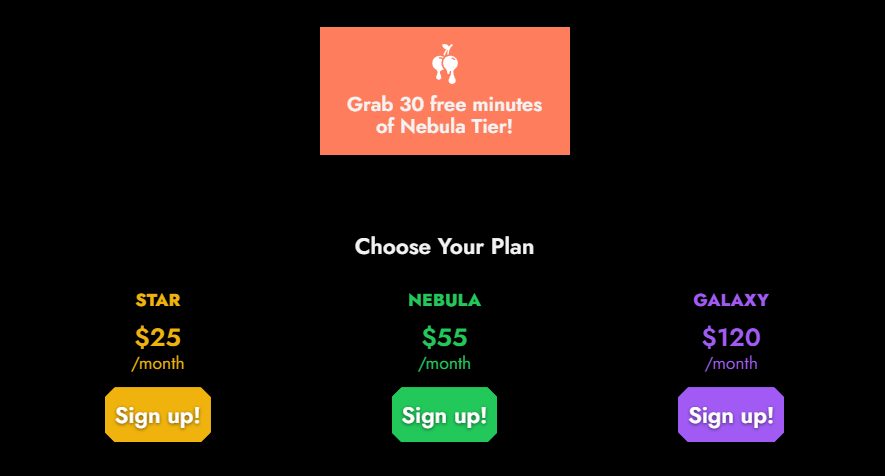
- Verify your email where requested. The subscription page currently promotes 30 free minutes of Nebula after email verification.
- Open the creation interface. From here, you can start with an image prompt or access other available creative tools.
- Create your first Dream. Enter a prompt, choose the relevant settings or model, and generate your first result.
- Move into DreamChat or other tools. If you are building a recurring character, you can continue developing it through separate Dreams and roleplay.
No payment card is needed simply to inspect the service and use its available free features.
Frosting has also been working on tools that simplify prompt creation. Its 2026 updates have mentioned features such as tag autocomplete, saved prompt presets, and Dream search. Availability can depend on the current version of the interface, so users should check their own account for the latest rollout.

How Does Frosting AI Character Creation Work?
Frosting AI approaches character creation differently from most AI girlfriend platforms. There is no large questionnaire where you choose a fixed body type, relationship style, occupation, and personality from predefined menus.
Instead, characters are largely created through prompts.
A basic Frosting AI character workflow looks like this:
| Step | What you define |
| 1. Choose the concept | Human, anime, fantasy, furry, realistic character, etc. |
| 2. Describe appearance | Hair, eyes, face, body, clothing, accessories |
| 3. Set the visual style | Realistic, anime, illustrative, or another supported model style |
| 4. Add the scene | Location, lighting, pose, background, mood |
| 5. Refine the prompt | Adjust details that the first generation missed |
| 6. Save the concept | Keep successful prompts or Dreams for later use |
| 7. Continue the character | Create new images, situations, or DreamChat interactions |
This approach gives experienced users more freedom than a simple character builder. You can describe very specific appearances or concepts instead of choosing from a small set of presets.
The tradeoff is that prompt quality matters. New users may need several generations before they get the look they want. Once a good character prompt is established, however, Frosting is well suited to creating recurring OCs and placing them in different scenes.
How Do Pre-Made Characters Work on Frosting AI?
Frosting AI does not use the standard dating-app format where you scroll through hundreds of ready-made girlfriends and choose one before starting a chat.
Instead, character discovery is tied more closely to its creator community. Public profiles, shared creations, contests, featured users, and the wider Frosting community make it possible to find characters and visual ideas created by other members.
This setup is especially appealing if you enjoy AI art as much as chatting. Rather than only choosing a personality from a catalog, you can take inspiration from community creations and develop your own character from there.
How Good Is Frosting AI Chat?
DreamChat gives Frosting AI a companion and roleplay layer beyond image generation. The subscription page describes Character Roleplay and lets users build conversations around imagined characters.
The most useful part is how chat fits into the rest of the platform. You can develop a character visually first, keep its Dreams organized, and then use the same general concept for conversations and scenarios.
Responses work best when the character and situation are clearly defined. That makes DreamChat particularly suitable for:
- OC-based conversations.
- Romantic roleplay.
- Fantasy scenarios.
- Adult roleplay.
- Short story-like interactions.
- Character experiments connected to generated artwork.
Frosting publishes much more information about image and video generation than about the technical behavior of DreamChat. Features such as detailed long-term memory controls, pinned memories, or editable relationship facts are not clearly described in the current public documentation.
For that reason, I would rate DreamChat positively as an extra layer for character creators, rather than as Frosting’s main reason to subscribe.
How Good Is Frosting AI for Roleplay?
Frosting AI works particularly well when roleplay starts with a character you have already defined through prompts and images. The platform officially promotes Character Roleplay, and the broader creative workflow makes it easy to build a visual identity before starting a scenario.
Strong use cases include:
- Romantic or dating scenarios.
- Fantasy and fictional worlds.
- Original character interactions.
- Adult roleplay.
- Scene-based storytelling.
- Roleplay linked to generated images.
The experience is less clearly documented when it comes to very long story arcs. Frosting does not publicly explain a sophisticated plot-memory system that tracks dozens of events over long periods.
For shorter scenes and character-focused interactions, this matters much less. Frosting’s main advantage is that the same OC can exist across prompts, generated art, Dreams, and chat instead of being limited to text alone.
How Does Frosting AI Memory Work?
Frosting AI gives users useful ways to organize characters and projects, but its public documentation provides fewer details about long-term conversational memory.
Dream threads are especially helpful for users who work with several original characters. Frosting’s own creator features show people keeping different OCs in separate Dreams rather than mixing everything into one history.
Confirmed or documented organization features include:
- Separate Dream threads.
- Reusable character concepts.
- Previous Dream organization.
- Search features announced for older Dreams.
- Continued work on recurring OCs.
A detailed system for pinned memories, manually editable facts, relationship milestones, or permanent character memories is not explained in the current public material.
This makes Frosting stronger at creative continuity than documented relationship memory. You can keep returning to the same character concept, but users who need advanced memory controls should not assume the service has the same system as dedicated AI companion apps.
Does Frosting AI Allow NSFW Content?
Frosting AI supports adult-oriented creative content and limits access to users aged 18 or older. Official updates have referenced both SFW and NSFW models, competitions, and video options.
The important distinction is that NSFW support still operates under Frosting’s Terms and content rules. The service has age requirements, complaints procedures, and prohibited-content policies.
Text and media options can also differ. Some models may support adult output while others are designed for SFW use only.
For adults who want more flexibility than mainstream generators such as heavily filtered general-purpose AI tools, this is one of Frosting AI’s more attractive features.
How Good Is Frosting AI Image Generation?
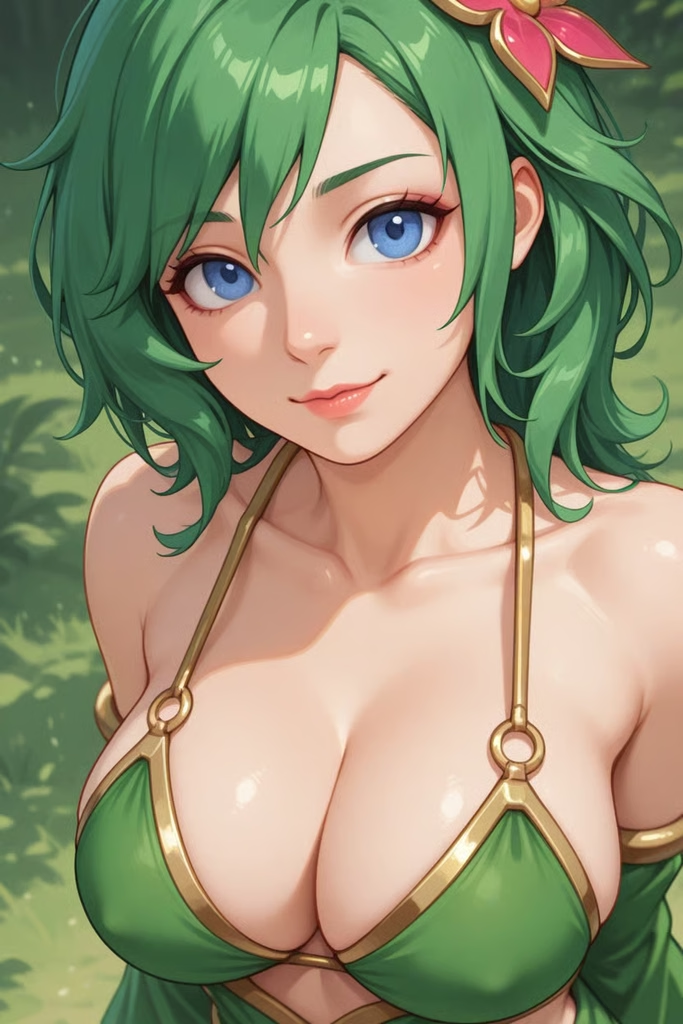
Image generation is where Frosting AI makes its strongest case. The service has expanded its model selection over time with options aimed at realistic images, anime, furry artwork, complex prompting, and character consistency.
Its creative workflow gives users control over details such as:
- Character appearance.
- Clothing.
- Pose.
- Facial features.
- Background.
- Lighting.
- Visual style.
- Negative prompts.
- Reference images where supported.
- Model selection.
- Inpainting and corrections.
Frosting has also continued improving its models. Recent official updates have discussed better instruction following, multiple starting images, stronger character consistency, and improved inpainting.
The system rewards experimentation. A simple prompt can produce a usable image quickly, while more experienced users can spend time refining recurring characters and detailed scenes.
Complex hands, anatomy, lettering, or very precise multi-part prompts can still produce imperfect results. This is common across AI image generators and means several generations may sometimes be needed.
For users who enjoy prompt control rather than one-click templates, Frosting’s image tools are easily the strongest reason to try the platform.
Does Frosting AI Have Voice and Video Features?
Frosting AI’s multimedia tools are currently much more developed on the video side. Audio also appears in some media-generation workflows, although this is different from having a conventional AI girlfriend voice-call system.
Does Frosting AI Support Voice Chat?
A dedicated DreamChat voice-call or standard voice-message feature is not clearly described in Frosting’s current public documentation.
Audio is instead visible within some newer video-generation tools. For example, Frosting has introduced models with support for sound, music, dialogue understanding, and lip synchronization.
For now, voice should therefore be treated as part of Frosting’s media-generation ecosystem, rather than a major standalone companion feature.
How Does Frosting AI Video Generation Work?
Video is a much bigger part of the current platform. Frosting has introduced several video models and workflows that can animate reference images, create motion, use start and end frames, and in some cases add synchronized audio.
Depending on the model, users may find options for:
- Image-to-video creation.
- Character animation.
- Start and end frames.
- SFW video.
- NSFW-capable video.
- Generated motion.
- Sound or dialogue on selected models.
- Different generation lengths.
The official subscription page states that video generations may cost 100, 300, or more tokens, depending on the model and video length.
How Much Does Frosting AI Cost?
Frosting AI can be tried without immediately buying a subscription, while users who want higher-tier models and larger creative limits can move to one of the paid plans.
The current official subscription page lists these plans:
| Plan | Current verified price | Billing | What I can verify |
| Free access | $0 | — | Free use is still promoted; exact daily limits are not clearly exposed in current official text |
| Star | $25 | Monthly | Current listed paid tier |
| Nebula | $55 | Monthly | Current listed paid tier; email verification can unlock 30 free minutes |
| Galaxy | $120 | Monthly | Current top listed tier |
The subscription page also says refunds apply to unused credits only. It states that card charges appear with the billing descriptor frosting.ai. Those are useful details to know before paying.
What Is Free and Paid on Frosting AI?
Frosting AI still gives users a meaningful way to test the platform before paying. Premium plans become more relevant once you want stronger models, heavier generation use, or advanced media tools.
Free users can currently use Frosting as an entry point into its creative ecosystem.
Typical free options include:
- Accessing Frosting AI from a browser.
- Trying available image generation.
- Creating and refining prompts.
- Developing character concepts.
- Viewing public creator profiles and community content.
- Exploring the main interface before subscribing.
- Claiming limited promotional premium access when offered, such as the current Nebula email-verification trial.
Paid subscriptions are aimed at users who want more intensive use.
Depending on the current tier, premium access can include:
- Higher-tier generation models.
- Increased generation capacity.
- More advanced image controls.
- Premium creative tools.
- Video-generation benefits.
- Access to features or resources with higher processing costs.
The exact split between plans can change as Frosting adds models, so the live subscription page is the best source to check immediately before purchase.
The free version is useful enough to decide whether Frosting’s prompt-based workflow suits you. There is little reason to start with the most expensive plan before testing the basic creation process.
Is Frosting AI Safe and Private?
Frosting AI has several privacy practices that are worth highlighting. Its Privacy Policy states that chats and generations remain private unless the user chooses to share or post them.
Key privacy points include:
- Generations are private by default.
- Chats are private unless shared.
- Cookies are used for site functionality and performance purposes.
- Personal data is retained according to the purposes described in the policy.
- The company publishes formal Terms and a Privacy Policy.
- Users have an account termination process.
- Frosting also maintains complaints and content-removal procedures.
Private-by-default content is especially useful on a platform that supports adult material and personal character creation.
Users should still avoid putting highly sensitive real-world information into AI conversations or uploads. Frosting’s privacy controls are a positive feature, but normal precautions remain sensible on any online AI service.
What Do Frosting AI Users Like About the Platform?
“I’ve been messing with Frosting AI for a couple of months, mostly when I wanna test some weird image idea fast. It’s pretty chill because you don’t have to fiddle with fifty settings. Complex poses can look janky, but portraits? Those usually come out solid.”
“I tested Frosting AI regularly for approximately eight weeks. The interface is accessible, and generation requires limited configuration. Portrait-style prompts produced relatively consistent results. More complex compositions occasionally required multiple attempts.”
“I’ve used Frosting AI for around three months 😊🎨 It’s great when I want to test an image idea without spending ages on settings ⏱️✨ Portraits usually work really well for me 😍 More difficult poses may need another try, but the process stays simple 👍”
Frosting AI Pros & Cons
Frosting AI has a broader feature set than its image-generator origins might suggest. Its strengths are concentrated around creative control, visual characters, and the ability to use several AI media tools within one platform.
- Strong image generation across several popular styles.
- Free browser access makes the platform easy to try.
- Good support for recurring OCs and prompt-heavy character creation.
- Active community with profiles, contests, and creator showcases.
- Video tools are more advanced than you might expect from an image-first service.
- NSFW support is broader than on many mainstream generators.
- Chats and generations are private by default unless shared.
- DreamChat is less documented than the image system.
- No verified standalone voice-call feature.
- Premium tiers jump quickly from $25 to $55 and $120.
- Complex anatomy or text inside images can still be inconsistent.
Is Frosting AI Legit or a Scam?
Frosting appears to be a legitimate operating service, not a scam. It has an active website, current subscription page, published Terms and Privacy Policy, a named operating entity, account termination instructions, a refund route, complaints procedures, and an active official news feed with updates as recent as August 10, 2026.
My conclusion is legitimate and generally reliable, with a few documentation gaps. The strongest reason to use Frosting is not DreamChat alone. It is the combination of image creation, characters, video, community, adult-friendly options, and free entry. If you mainly want a polished AI girlfriend with deep relationship memory and voice calls, another platform may fit better. If you want to create a character, visualize that character, keep developing the look, animate it, and also chat with it, Frosting is much more interesting.
FAQ About Frosting AI
Can Frosting characters initiate conversations?
The current public documentation does not clearly confirm proactive messages, so I would not assume they can.
Can I have more than one relationship or character?
Yes in practice: users maintain separate Dream threads for different OCs and projects.
Can I restart a conversation?
Frosting does not clearly document a dedicated reset button in its public pages. Starting or organizing separate Dream threads is the clearer verified workflow.
Can I create different scenarios?
Yes. Character roleplay is an advertised feature, and prompt-based creation makes it easy to change setting, appearance, or scenario.
Can Frosting characters message me without being prompted?
I could not verify that feature in current official documentation.
Does Frosting offer notifications?
The official community uses Discord reminder roles for events, but I could not verify in-app proactive character reminders.
Can I use Frosting on multiple devices?
It is a browser service, but current public documentation does not spell out a formal multi-device policy.
Does Frosting support custom prompts?
Yes. Custom prompting is central to the platform, and Frosting has also previewed autocomplete and saved-preset tools.
Can I export conversations?
The subscription page references downloading DreamChat content, including images and prompts, but the exact scope of conversation export is not clearly documented.
What happens to chats after account deletion?
Frosting allows account termination and says it retains personal data only as long as necessary, but its public policy does not give a simple fixed deletion timeline for every chat.